Kunbaa vs FamilySearch: One World Tree, or Your Family's Own?
Your grandfather sits in the album on Mum's shelf and in FamilySearch's world tree, where a stranger can edit him. Kunbaa keeps him in your family's own tree — beside his photos, his stories and his great-grandchildren — seen and edited only by the relatives you invite.
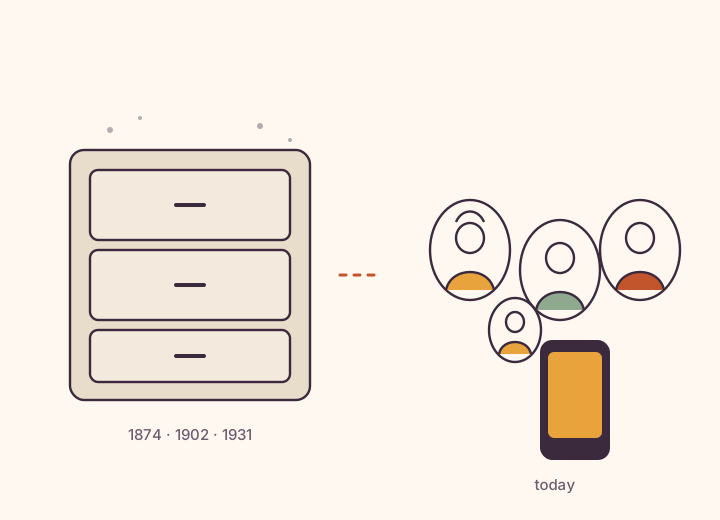
FamilySearch is the better choice for free genealogy research: billions of free historical records and one shared world tree whose ancestors any user can edit. Kunbaa is for a private tree only your invited relatives see and edit, living and passed, with photos, stories, chat and events around it. Both are free to start.
When is FamilySearch the better choice?
When the job is research and the budget is zero. Billions of free historical records, a world tree where someone may already have traced your line, and no subscription at all. Kunbaa has no records and cannot match any of that.
When is Kunbaa the better choice?
When you want the tree to belong to your family alone. Only the relatives you invite can see or edit anyone on it — living or passed — and the photos, stories, birthdays and events live right beside it. The tree is free for everyone, with no ads.
How do Kunbaa and FamilySearch compare?
| Compared | Kunbaa | FamilySearch |
|---|---|---|
| Built for | The living family — a private tree of the people you know, with the photos, stories, birthdays and events around it | Free genealogy research — historical records and one shared Family Tree for the whole world |
| Whose tree it is | Your family's own tree. Nobody outside the family can see it or change it | One collaborative world tree. Your ancestors are part of it, alongside everyone else's |
| Who can edit the ancestors | Only the relatives you invited — the people who have passed stay private to your family too | Deceased people are public: any FamilySearch user can see and edit them, and reverse other users' changes |
| Living relatives | The centre of the tree, visible to the whole invited family, with everyone's birthday on it | Private to whoever entered them. To share them, you create a Family Group Tree with invited family |
| Historical records | None. No records, no DNA, no research hints | Billions of historical records, free to search |
| Around the tree | A family wall and Memory Lane for photos, stories and voice notes, and events with birthday reminders — on the web today, with family chat in the mobile app (coming soon) | Photos, stories and recordings attached to people; Family Group Trees add a group chat and feed |
| Tree files (GEDCOM) | Import a GEDCOM file on kunbaa.com, matched to the people already in your tree and confirmed before anything is written; GEDCOM export is not switched on yet | Upload a GEDCOM on the website and compare it with Family Tree |
| Price | The tree is free for everyone. Kunbaa Plus is $15.99/mo or $159.99/yr for the whole family (yearly is about $13 a month for the whole family), and one person pays | Free. A nonprofit service sponsored by The Church of Jesus Christ of Latter-day Saints |
What is the difference between Kunbaa and FamilySearch?
FamilySearch is a free genealogy service with billions of historical records and one shared Family Tree for the whole world. Your great-grandmother is not in your tree there; she is in the tree, where any FamilySearch user can see her, edit her, and reverse someone else's edit. That design is what makes FamilySearch powerful for research: people all over the world improving one shared record.
Kunbaa is built the other way round. It is your family's own private tree, and only the relatives you invite can see it or change it — the living generations and the people who have passed. Nobody outside the family can edit your grandmother.
Can I keep my family tree private on FamilySearch?
Partly. FamilySearch keeps living people private to whoever entered them, and its Family Group Trees let invited family see and edit living relatives together, with photos, stories and a group chat. But deceased ancestors stay in the public tree, and FamilySearch says there is no way to move one out so that only your family group can see or edit them.
Where is FamilySearch stronger?
- It is free, completely. No subscription at all.
- Records. Billions of free historical records to search. Kunbaa has none.
- Reach. A world tree means someone may already have researched your line.
- Tree files both ways. GEDCOM upload and download; Kunbaa imports a GEDCOM, and export is not switched on yet.
Where is Kunbaa stronger?
- The whole tree is the family's. Living and passed, only the relatives you invited can see or edit anyone on it.
- Built for the living family. Everyone's place and birthday on the tree, and an invitation links each relative to the place you already made for them.
- Life around the tree. A family wall and Memory Lane for photos and voice notes, and events with birthday reminders — all on the web today, with family chat in the mobile app, coming soon.
- Kids are in it, adults keep it. Children are on the tree and in the photos, added by adults; accounts are 18+.
Which should you choose?
If you want to research where the family came from, use FamilySearch — it is free and it is very good. If what you want is one private place where the whole family can see how everyone is related, whose birthday is next, and who is in the photo from Nani's wedding, start a Kunbaa tree. The research can stay public. The family can stay yours.
Related: The Kunbaa family tree · How private is Kunbaa? · A private family app · Kunbaa vs Ancestry · Best family tree apps in 2026
Kunbaa vs FamilySearch: common questions
Is Kunbaa an alternative to FamilySearch?
For a private tree of the living family, yes — one only your invited relatives see and edit, with the photos, stories and birthdays beside it. For researching ancestors it is not: Kunbaa has no historical records. FamilySearch is free and excellent at research, and plenty of families use both.
Can anyone edit my family on FamilySearch?
The deceased people in FamilySearch's Family Tree are public: any FamilySearch user can see and edit them, and can reverse other users' changes. Living people are different — only the user who entered a living person can see or change that record, unless you share them through a Family Group Tree.
What is a FamilySearch Family Group Tree?
It is FamilySearch's way to share living relatives privately: you create a family group, invite family, and everyone in the group can see and edit the living people in it. Deceased ancestors connected to them stay in the public tree, where any FamilySearch user can edit them.
Who can see and edit my tree on Kunbaa?
Only the relatives you invite, and that includes grandparents and great-grandparents who have passed — nobody outside the family can edit your family. There are no ads and nobody's data is sold. Kunbaa is private by invitation, not by encryption: it is not end-to-end encrypted.
Can I bring my FamilySearch tree into Kunbaa?
As a file, yes. FamilySearch itself does not offer a direct download of Family Tree, but the desktop programs that sync with it can export a GEDCOM, and that file imports on kunbaa.com: Kunbaa matches it against the people already in your tree and writes nothing until you confirm. Kunbaa never reads anything from the FamilySearch site — keep your research there and bring the living family across.
FamilySearch is free. Why would a family pay for Kunbaa?
Most do not have to: the Kunbaa tree is free for everyone, and so are the wall, chat and events. The one paid plan, Kunbaa Plus, is $15.99 a month or $159.99 a year on kunbaa.com — one person takes it when the family wants room for the whole archive and longer videos, and everyone else joins free.
More questions? Read the full FAQ or how to build your family tree.
Start with the people you know. Invite the rest.
The tree is free for the whole family, on the web today. When you want room for the whole archive, one person takes Kunbaa Plus at $15.99 a month or $159.99 a year — about $13 a month for the whole family, paid on kunbaa.com — and everyone else joins free.