Skip to content
Comparison · family tree apps

Kunbaa vs Family Tree Photo: Tap In the Relatives, or Let Them Join?

Kunbaa is for families who want more than a diagram: a private tree the relatives build with you, each person with their own photo and birthday on it, and the wedding photos and voice notes kept beside the people they belong to — free for everyone who joins.

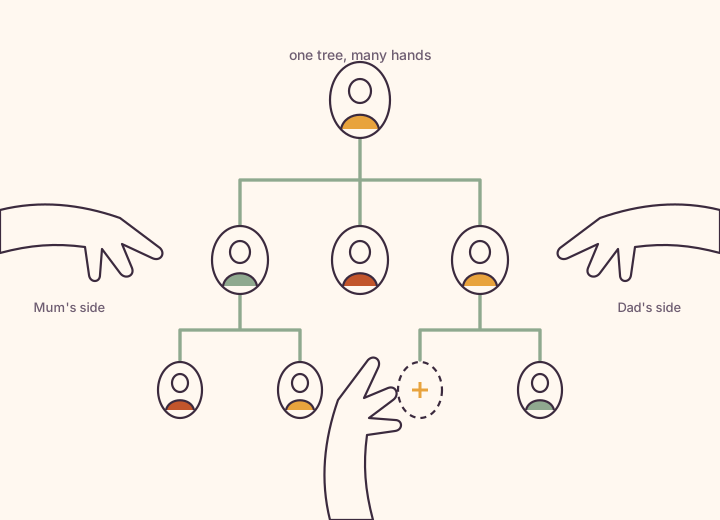
A family tree in the centre with hands reaching in from every side of the frame, each placing a relative's card with their own photo onto the branch only they know
Every card is a person who can join, add their branch and put their own photo on it.

Quick answer

Family Tree Photo is a small, quick utility: tap plus to add relatives and it draws the tree for you, including aunts, uncles, step-siblings and blended families, with a one-off premium purchase. Kunbaa is a private, invite-only family space: a tree every relative builds together for free, with a photo and a birthday on each card, a wall where photos keep their names and dates, events with birthday reminders, and chat and calls in the app. Family Tree Photo draws the tree; Kunbaa keeps the family.

How does Kunbaa compare with Family Tree Photo?

At a glance, as of September 2026. Kunbaa facts describe the current release; Family Tree Photo facts are quoted from its own site.

Source: Family Tree Photo features and Australian in-app price from its App Store listing, read on 27 September 2026; prices vary by country. Kunbaa facts describe the current release. Details change; check Family Tree Photo’s site for today’s plans and prices.
ComparedKunbaaFamily Tree Photo
Built forThe living family, together: one private tree, the wall beside it, birthdays, events, chatOne person drawing a family tree quickly on their phone
Who builds the treeEveryone you invite. Each relative adds the branch only they know, with their own photo and birthday on their cardYou, by tapping plus to add each relative; the app lays out the tree
Step and blended familiesYes: spouses, partners, step-parents and in-laws are all relationships the tree can holdYes: aunts, uncles, step-siblings and complex relationships are a listed strength
Photos and storiesA wall for photos, videos, stories and voice notes, captioned with who, where and roughly when, with an audience per post; Memory Lane runs it as a timelineA photo on each person's card
Everyday family lifeEvents with birthday reminders and to-dos on the web today; chat, calls and opt-in Family Safety in the Kunbaa app, coming soonNot the focus; a tree-drawing utility rather than a family feed or calendar
Tree files (GEDCOM)GEDCOM import on kunbaa.com, matched to the people already in your tree and confirmed before anything is written; GEDCOM export is not switched on yetNot listed
ChildrenOn the tree and in the photos, added by adults; every account is held by an adult (18+)Rated 4+ on the App Store; a single-user app
PriceFree to start, with no cap on the tree. Kunbaa Plus is $15.99/mo or $159.99/yr for the whole family (yearly is about $13 a month for the whole family); everyone else joins freeFree to download; "Family Tree Photo Premium" listed at A$12.99 on the Australian App Store, September 2026

Who is Kunbaa for?

Drawing the family tree for the first time

A drawing app is a fine way to sketch what you already know. Kunbaa is what you want when you reach the edge of it: invite the aunt who knows Dad's side, and she adds her branch, her photo and her birthday herself. The tree fills in from every direction, free, and it keeps growing after the sketch would have stopped.
Families spread across countries

The cousins in Vancouver have never seen how they connect to the ones in Chennai. On Kunbaa each branch joins free and adds itself, every birthday comes off the tree as a reminder, and a call from a relative's page on the tree needs no phone number handed round.

Adult children of ageing parents

Dad can name everyone in the album and has never written one name down. Put them on the tree with him, with their photos on the cards, and record him telling the stories as voice notes — in a space only the family can enter, where the grandchildren will find it.

What you keep, and what you give up

Family Tree Photo is good at its job. This is the plain list of what changes if your family moves this part of its life to Kunbaa.

What you keep

  • Family Tree Photo, if a quick diagram on your own phone is all you need. It is small, fast and cheap.
  • A private tree shared only with your family, which every invited relative can build, with no size cap.
  • Photos and stories with the names written down, beside the people on the tree.
  • Birthdays from the tree, events with reminders, and chat and calls between relatives.
  • One subscription for the whole family, paid by one person; everyone else joins free.

What you give up

  • A five-megabyte app that works with nobody else involved. Kunbaa is built for the family to join in.
  • A one-off purchase; Kunbaa's paid plan is a subscription, though nobody in the family has to take it.
  • Exporting the tree as an image to print or send. Kunbaa does not do that in this release.

What Kunbaa does, in detail

A tree the whole family builds

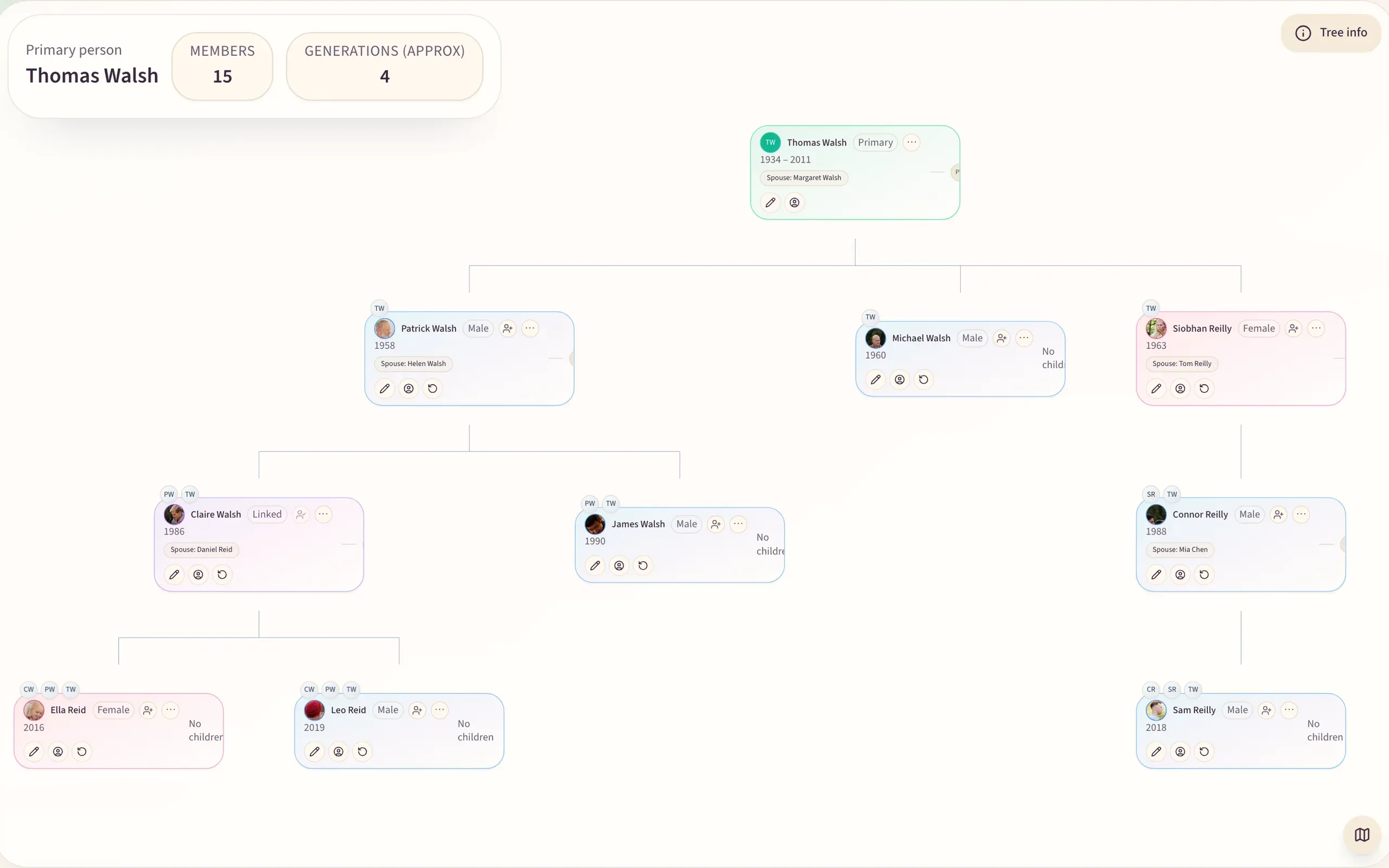
Everyone you invite gets their own place on the tree, their photo and their birthday, and adds the relatives only they know. Both sides, all the branches, partners and step-parents, no cap on the free tree. An invitation links each relative to the place you already made for them, so nothing is typed twice.

The Kunbaa family tree →
The Kunbaa tree editor on the web showing four generations of the Walsh family with photos and dates on each card
The tree editor on the web.

More than one photo per person

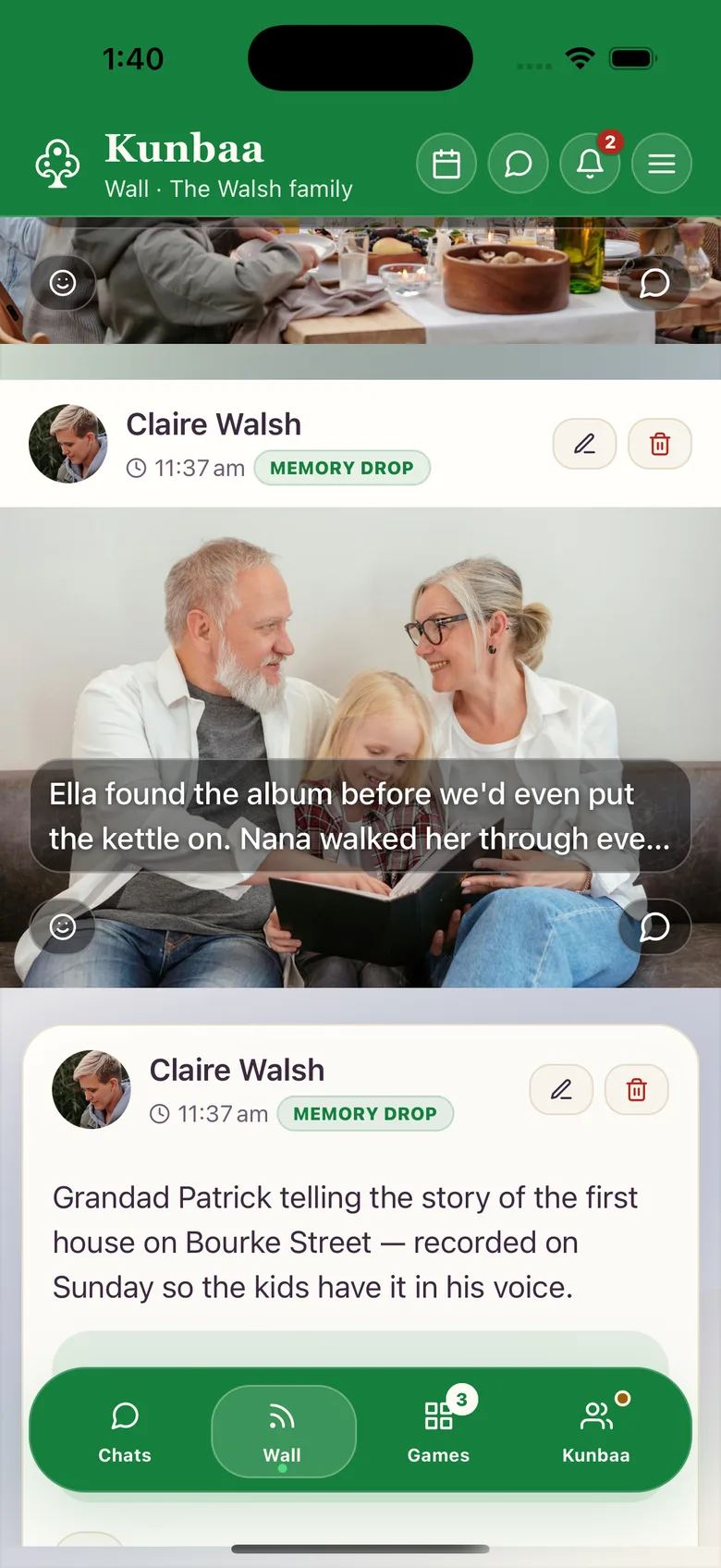
A card holds one photo; a life holds thousands. Kunbaa puts them on the family wall with who, where and roughly when in the caption, beside the person on the tree, and lets you choose who sees each one. Memory Lane runs the archive as a timeline.

The wall and Memory Lane →
The family wall in the Kunbaa app with photos and memories from relatives, each captioned

Birthdays come off the tree

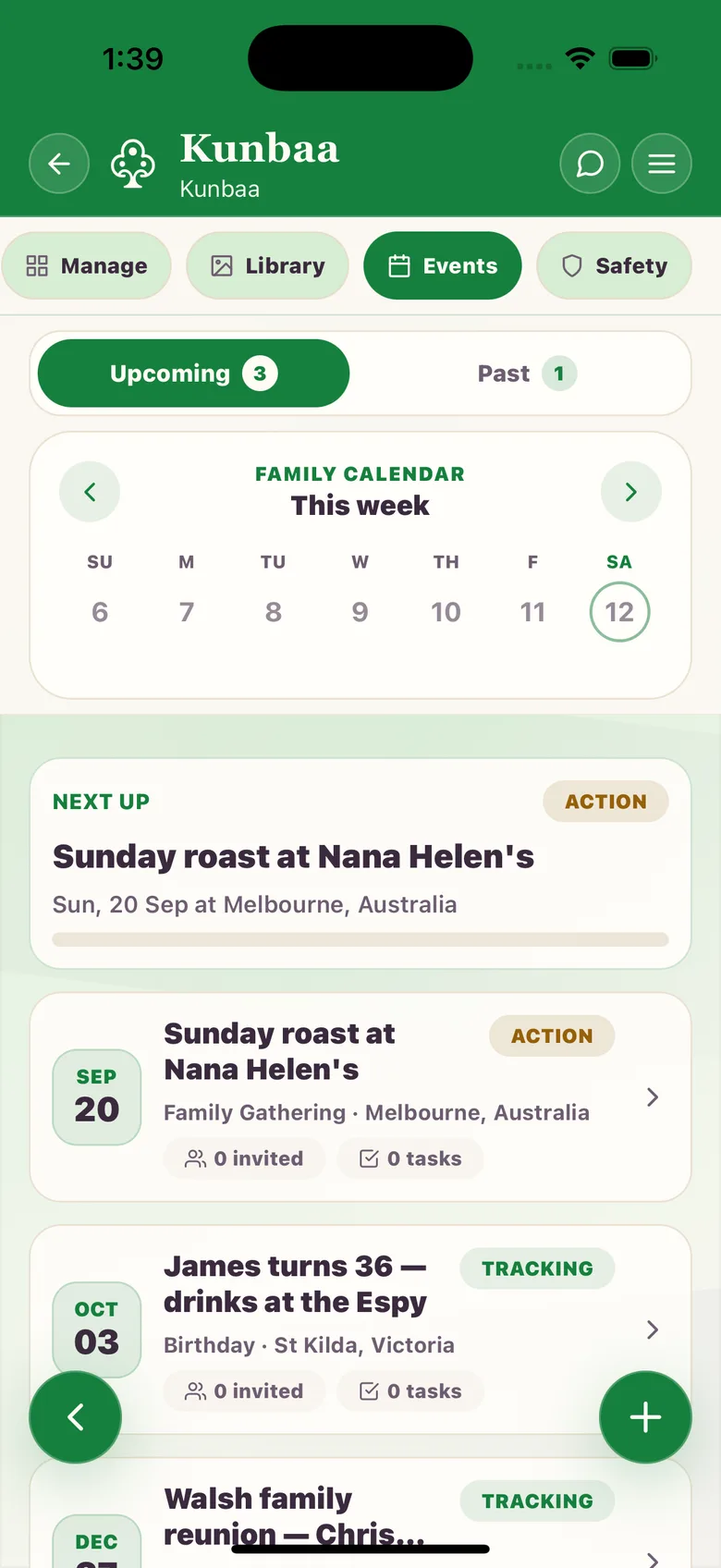
Every birthday on the tree becomes a reminder for the family. Plan the reunion as an event with a to-do list, keep it to the relatives it concerns, and attach the photos afterwards so the day is kept as a day.

Events and reminders →
Upcoming family events in the Kunbaa app, with birthdays taken from the tree

Bring a tree file in

If you have a tree elsewhere that can export a GEDCOM file, import it on kunbaa.com: Kunbaa matches it against the people already on your tree and writes nothing until you confirm. GEDCOM export and tree merging are not switched on in this release.

Import a GEDCOM file →

Who can edit the tree

An admin decides, per relative, whether they can add people to the tree, post to the wall, or message members, and a relative can request more access from inside the app. Every account is held by an adult, so the tree stays in the hands of the people you invited.

Member permissions →

Kunbaa vs Family Tree Photo: your questions

Is Kunbaa an alternative to Family Tree Photo?

For building a family tree with your relatives and keeping the photos, stories and birthdays beside it, yes — and everyone joins free. For a quick diagram drawn alone on one phone, Family Tree Photo is smaller, faster and does exactly that.

Can Kunbaa handle step-families and second marriages?

Yes. Spouses, partners, step-parents and in-laws are all relationships the Kunbaa tree can hold, and each person keeps one place on the tree however many households they belong to.

Does each relative need to install anything?

Each relative you invite opens the invitation, creates a free account and lands on the place you already made for them on the tree. They can build the tree, share on the wall and join events on kunbaa.com in a browser, and use the Kunbaa app for chat and calls.

Can I export my Kunbaa tree as a picture?

Not in this release. Kunbaa is a living tree on screens, built for the family to keep adding to. A GEDCOM import is available on the web; GEDCOM export and image export are not switched on yet, and the help page says so plainly. Getting your data out.

What does Kunbaa cost next to Family Tree Photo?

Everyone in the family joins Kunbaa free, and the tree has no cap. Kunbaa Plus is $15.99 a month or $159.99 a year, paid by one person, and keeps the family's archive: longer videos, room for the whole family's photos, and chat photos kept while the family is on Plus. Family Tree Photo lists a one-off premium purchase at A$12.99 on the Australian App Store, as of September 2026.

Can children be on a Kunbaa tree?

Yes. Children are added to the tree by an adult and appear in the photos; they do not hold an account, because every Kunbaa account is for adults aged 18 and over. Adults keep it; kids are in it.

More questions? Read the full FAQ or what private means in Kunbaa.

Start with the people you know. Invite the rest.

Put your parents, your siblings and the cousins on a private tree, invite them to add their side, and let the photos and stories gather beside the people they belong to.

Everyone in the family joins free. When you want room for the whole archive, one person takes Kunbaa Plus at $15.99 a month or $159.99 a year — about $13 a month for the whole family.

Keep reading