Sunday lunch, a first step, Gran's voice — kept for the people who'll treasure them
Nobody knows at the time which moment will matter. Post the photo, video or voice note while it is happening, and it is kept in order in a private space only the family you invite can open.
How do you capture family moments so they are kept?
Capture them where the family keeps them, not where they scroll away: post the photo, short video or voice note to your family's private wall with a line about what was happening, and everyone you invited sees it. Invite-only, no ads, everyone in the family joins free — and it works on kunbaa.com today.
A photo keeps the moment. The line beneath it keeps the memory.
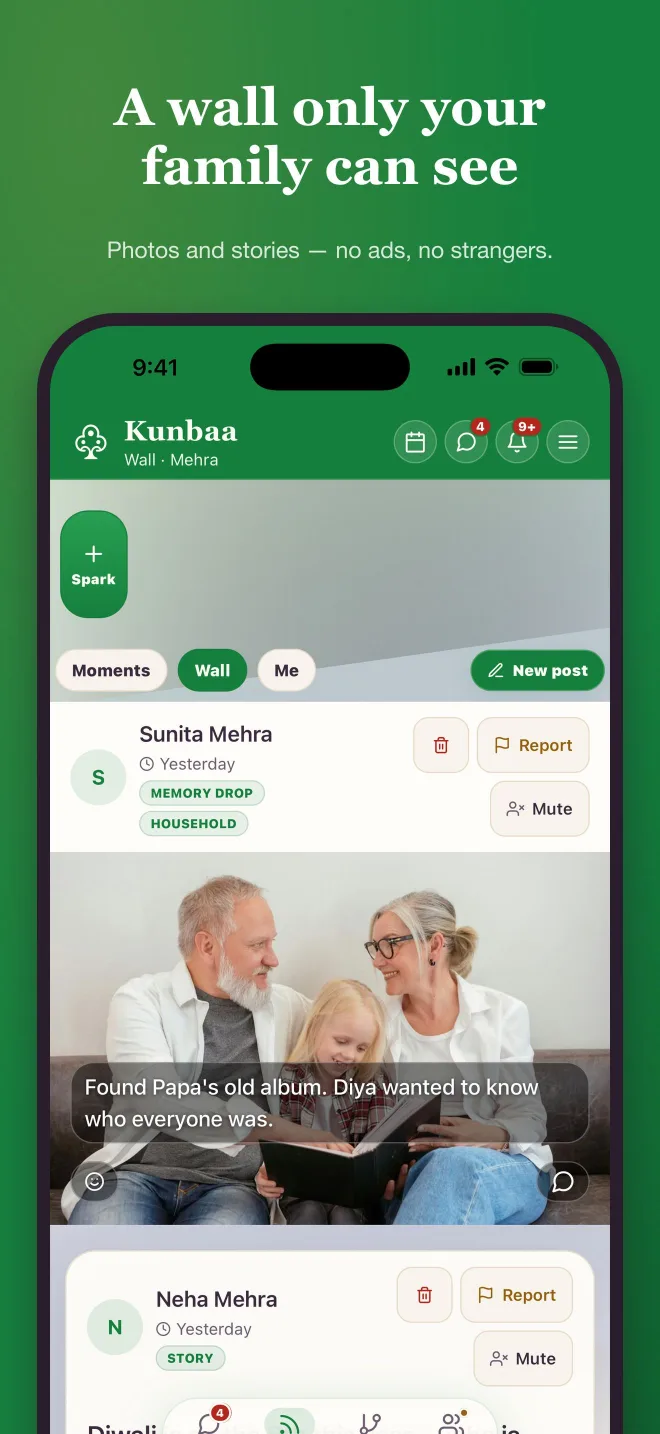
Claire found Gran’s album from Cork, 1972, and posted a page of it with the line only she could write: that’s Dad in the pram on Barrack Street. Now the whole family knows who is in the pram.
Write the words while someone still remembers — who, what was happening, why it mattered — and @mention the relative so they see it. Reactions and comments come from family only.
What a moment looks like in Kunbaa
The photos from Sunday lunch
A handful of photos in one post, laid out as a collage — one moment, not twelve messages.
The first steps, on video
A short clip posted while everyone is still clapping; Kunbaa Plus keeps longer videos too — the whole speech.
Gran's voice, telling it her way
A voice note posts like a photo, with a line about what it is, and plays straight from the wall.
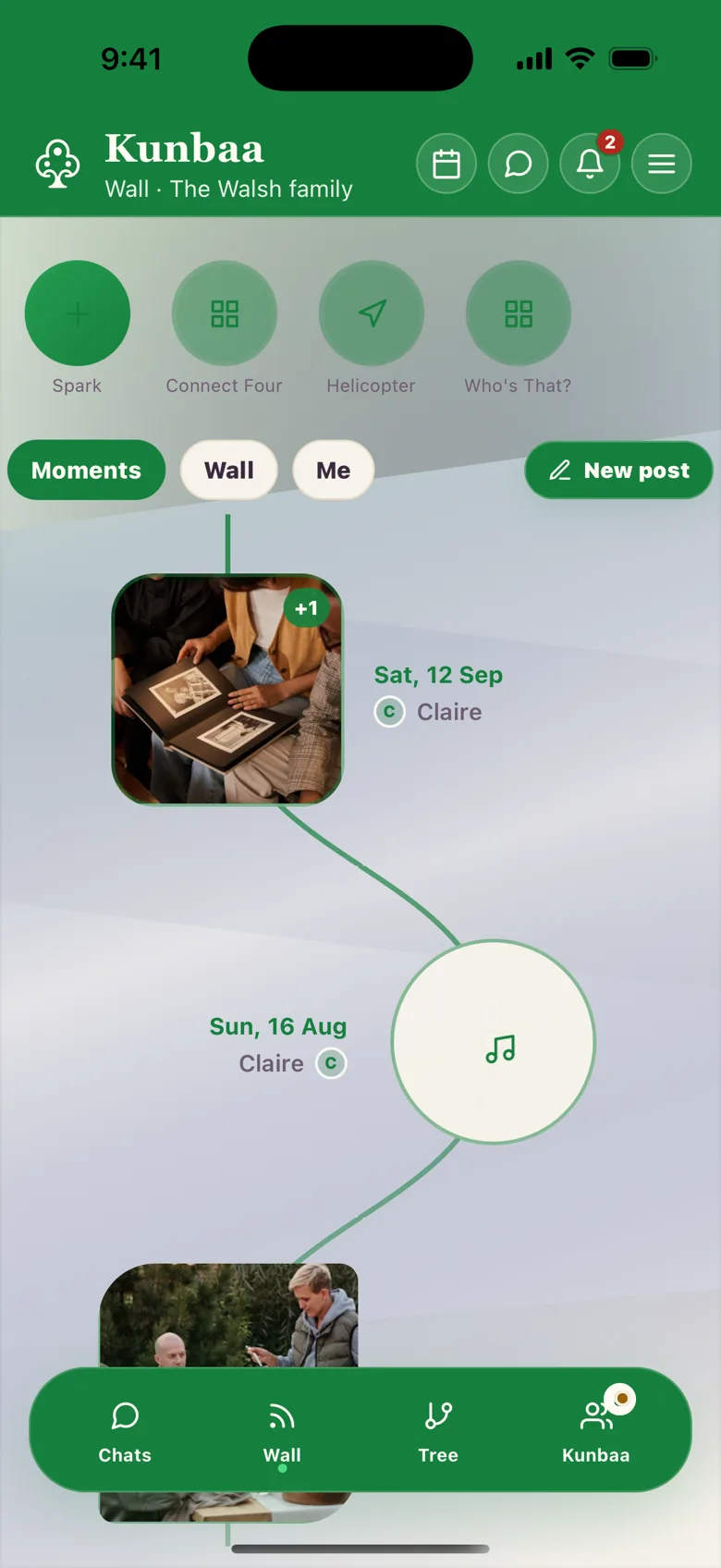
Saturday’s album, August’s story, last Christmas lunch — a scroll apart
Moments stay in the order the family shared them. On kunbaa.com the wall runs newest first, and the family archive gathers everything month by month.
In the Kunbaa app, Moments lays them out as your family’s timeline — each day a stop along the line, photos and voice notes together. Coming soon
Post the first one this weekend.
Start the tree, invite one relative, and share one photo. Everyone in the family joins free.
Kept for the family, not for an audience
Moments go to the relatives you invited — not followers, friends of friends or search engines. No ads inside your family space, and nobody's data is sold.
The family tree sits alongside, so when the grandchildren scroll back to Nana Margaret, they can look up who she was to them.

Questions families ask
What is the best way to capture family moments?
Put it somewhere the family keeps things, with a line about what was happening: in Kunbaa each moment goes to your family's private wall, where everyone you invited sees it and the words stay with it. A group chat is for talking — photos there are compressed and scroll out of sight.
Who can see the moments we share?
Only the relatives you invite. Nothing on the wall is public or indexed by search engines, there are no ads inside your family space, and nobody's data is sold; Kunbaa is not end-to-end encrypted — private here means invite-only, and the privacy help page explains exactly what that covers.
Can we share videos and voice notes, not just photos?
Yes — photos, a video or a voice note, with a line about what it is. The free plan keeps videos to short clips; Kunbaa Plus keeps longer videos in the family archive.
Is there a Kunbaa app?
The family wall works on kunbaa.com today, in any phone or computer browser; the Kunbaa app, with the Moments timeline shown here, is coming soon, and everything posted on the web appears there too.
Can I download our photos later?
Not with one button yet — there is no self-serve export in the app or on the website today. Email support@kunbaa.com and we put the family's complete archive together: photos, videos, voice notes and the tree.
Can our children post?
Kunbaa accounts are for adults, 18 and over. Children are in the family — on the tree and in the photos — and the adults keep the wall.
What does it cost?
Everyone in the family joins free and can start sharing moments. Kunbaa Plus at $15.99/mo or $159.99/yr on kunbaa.com keeps longer videos and room for the whole family's archive; one person pays, everyone else joins free.
More on photos and voice notes on the wall, how private Kunbaa is and getting your family’s archive out.
The next Sunday lunch is a good place to start.
One photo, one line about it, and the family you invite. Everyone joins free.