The family group already knows who everyone is. Now the tree does too.
Export the family's WhatsApp group, say who each person is to you, and everyone in it takes their place on your Kunbaa family tree. The export is read in your browser, and not one message is kept.
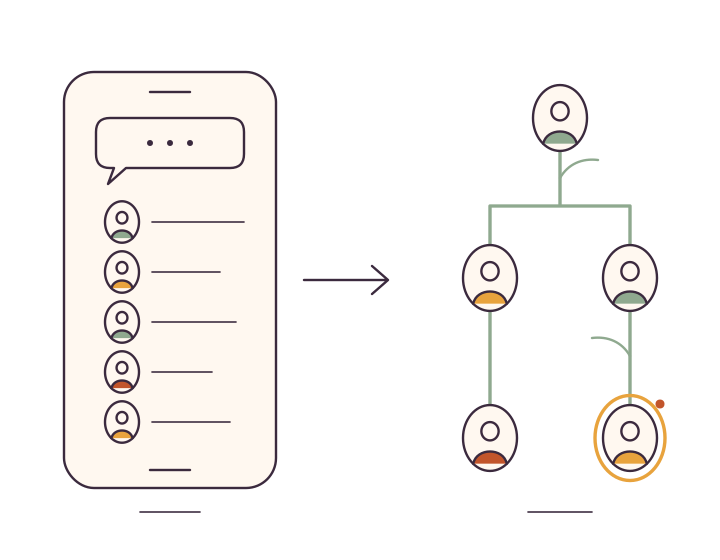
What the WhatsApp group import does
Most families already have the group. Kunbaa turns it into a tree: export the chat from WhatsApp, choose the file on kunbaa.com, and say who each person is to you — mother, brother, cousin, or someone already on the tree. They are added exactly as if you had typed them in, with no message read or kept.
How it works
- Step 1
Export the chat
In WhatsApp, open the group, tap its name, choose Export chat and then Without media. An iPhone export made with media is a .zip, and that works too — only the chat text inside it is opened. Choose the file on the import page.
- Step 2
Say who each person is
One card per person, most active first: who is Thomas to you? Pick how they are related to you — mother, brother, cousin, aunt — or choose Already on the tree and pick their card. Any relative on the tree can be chosen, even when their name is spelled differently in WhatsApp. Anyone who is not family is skipped.
- Step 3
They are on the tree
Each person is added exactly as if you had added them by hand, placed from your card, and they show in the app straight away. Open their card to invite them, so they can see the tree too.
What Kunbaa keeps, and what it never sees
- The export is read in your browser. It is never uploaded, and the file goes nowhere.
- Kunbaa keeps two things from it: who was in the group, and how many messages each person sent, so the most active relatives come first.
- Not one message, photo or phone number is stored. Someone who appears only as a number is shown that way so you know who it is, and the number is never saved.
- Only the names and relationships you confirm are sent to your family's tree, one person at a time.
- There is no connection to WhatsApp. Nothing is fetched from it — the export is a file WhatsApp makes for you, and you choose it.
Read how private Kunbaa is or the privacy policy.
Who can import
An editor or admin of the family. Adding people from a group needs the same permission as adding a relative by hand, and your own card must already be on the tree, because everyone from the group is placed in relation to you.
Importing is done on kunbaa.com in a browser: sign in and go to Tools → Import a WhatsApp group. The people you add are on the tree in the app straight away, because it is the same tree.
The step-by-step help article walks through every screen, including people who appear only as a number. New to Kunbaa? Start with what a Kunbaa family tree holds.
Questions families ask
How do I export the group from WhatsApp?
Open the group, tap its name at the top, and choose Export chat, then Without media — a smaller file, and all Kunbaa needs. WhatsApp offers to save or send it; get it onto the computer or phone you use kunbaa.com on and choose it on the import page. An iPhone export made with media is a .zip, and that works too: only the chat text inside is opened.
Does Kunbaa read the messages?
No. The export is opened in your browser and never uploaded. Kunbaa keeps who was in the group and how many messages each person sent, so the most active people come first. Not one message, photo or phone number is stored, and the file itself goes nowhere.
Does it import photos or messages?
No. People only: the importer keeps who was in the group and how many messages each person sent, and nothing else. The photos worth keeping can go on the family wall as posts, with the names written down.
What if someone in the group is only a phone number?
They appear with their number as a reminder of who it is. Add them as a relative and you type their name; the number is not saved. If they are already on your tree, choose their card and invite them from there.
Will it add people who are already on my tree?
No. Each name in the group is compared with the people on your tree. A confident match is proposed as Already on the tree, a possible match is suggested for you to confirm, and when no name matches you can still pick any relative from the tree — names are often saved differently in WhatsApp. Before anything is added Kunbaa takes one more look at the tree, so running the same export twice adds nobody twice.
How are people placed on the tree?
In relation to you. For each person you pick a relationship — mother, brother, cousin, aunt and so on — and they are added from your card, exactly as if you had added them by hand. That is why your own card has to be on the tree first.
The group has everyone in it. Give them a place on the tree.
Sign in, export the group, and say who each person is. Everyone in the family joins free.