Three choices, every post
Ciara is posting
“Niamh lost her first tooth”
Everyone in the family space
Visible to 16 family members. 3 more relatives aren't on Kunbaa yet
Try it — the Walsh test family. Dashed faces aren’t on Kunbaa yet.
Nani's 80th for the whole family. The scan results for the people at home. Pick a share radius on every post — and see how many relatives it reaches before you share.

Ciara is posting about her daughter's first lost tooth. Narrow the radius and watch who it reaches.
Ciara is posting
“Niamh lost her first tooth”
Everyone in the family space
Visible to 16 family members. 3 more relatives aren't on Kunbaa yet
Try it — the Walsh test family. Dashed faces aren’t on Kunbaa yet.
Share radius
Every post has a share radius with three choices. Scroll to narrow one down.
The whole family space sees it.
Your household, and also grandparents, aunts, uncles and cousins.
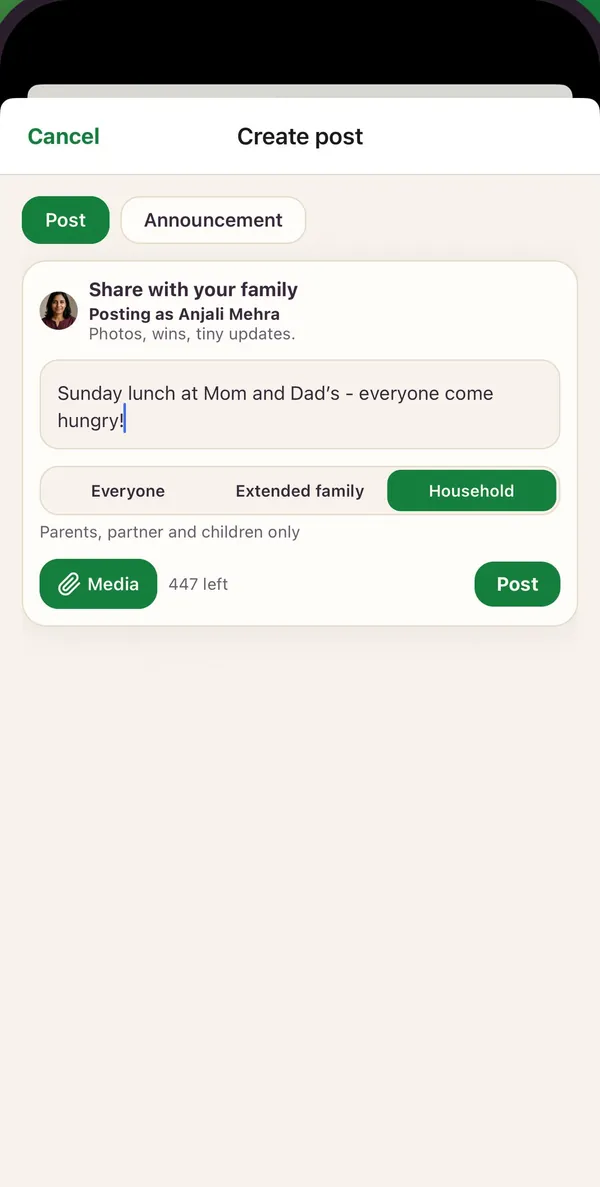
Parents, partner and children only.
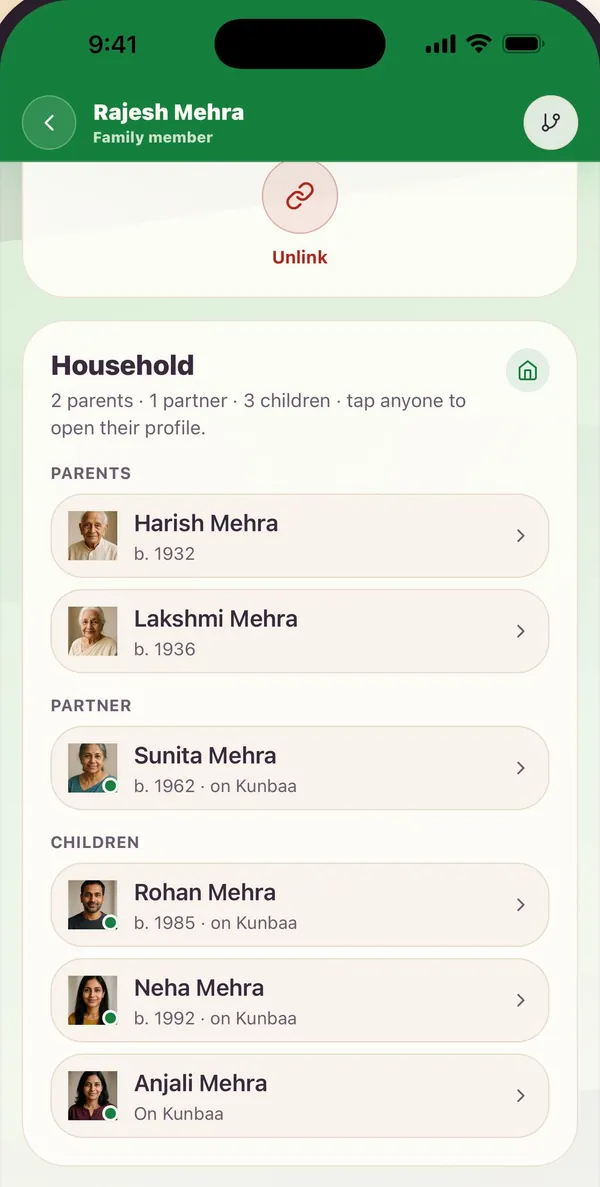
Your Household is your parents, your partner and your children. Extended family adds grandparents, aunts and uncles, siblings, nieces, nephews and first cousins, with their partners.
Kunbaa works both out from the family tree each time someone opens the wall, so when a cousin is added, they are inside your Extended family radius from then on.

The radius is applied on Kunbaa's servers — for the wall, the feed, the media library, comments, reactions and mentions — every time someone opens them.
The people inside see a small Household or Extended family badge on the post. Nobody outside it is told the post exists.

A family is not one audience. The birthday photos are for everyone; the scan results are for the people at home. Kunbaa puts that choice on every post as a share radius — Everyone, Extended family or Household — and shows you how many relatives a post will reach before you share it.
Nobody builds or keeps up a list. Your Household is your parents, partner and children on the family tree; Extended family reaches two generations up and two down, with partners. Add a cousin to the tree and they are inside your Extended family radius the next time anyone opens the family wall.
The radius is applied on Kunbaa's servers each time someone opens the wall, the feed, the media library or a comment thread — not hidden in the app afterwards. The full rules are in the help article choosing who sees a post.
Share radius is free for everyone in the family. See pricing for what Kunbaa Plus adds.
More questions? Read the full FAQ or the help centre.
The choice on every Kunbaa post of who in the family sees it: Everyone in the family space, your Extended family, or just your Household. Everyone is the default; narrowing is a choice you make post by post.
Your parents, your partner and your children, as recorded on the family tree. Siblings, grandparents and in-laws are not in it — choose Extended family for them.
Your Household plus grandparents, aunts and uncles, siblings, nieces and nephews, first cousins, grandchildren, and the partners of all of them — two generations up and two down from you. Your partner's own parents and siblings see your post when you choose Everyone.
As you choose, the post box counts the relatives in that radius who have a Kunbaa account, because a post only reaches people who have joined. Relatives on the tree who have not joined yet are named separately, so you can invite them. On kunbaa.com the count shows today; the app shows it from its next update.
No. The wall, the feed, the media library, comments, reactions and mentions all follow the same rule, and it is applied on our servers each time someone opens the wall. Someone outside the radius never receives the post.
Not yet — choose it when you post. If you picked the wrong one, delete the post and share it again.
No. It is part of posting, free for everyone in the family. Kunbaa Plus adds room for the family's archive; it does not change who sees what.