Build your family tree, privately
Start with yourself and work outwards — both sides, all the branches. Only the people you invite ever see it.
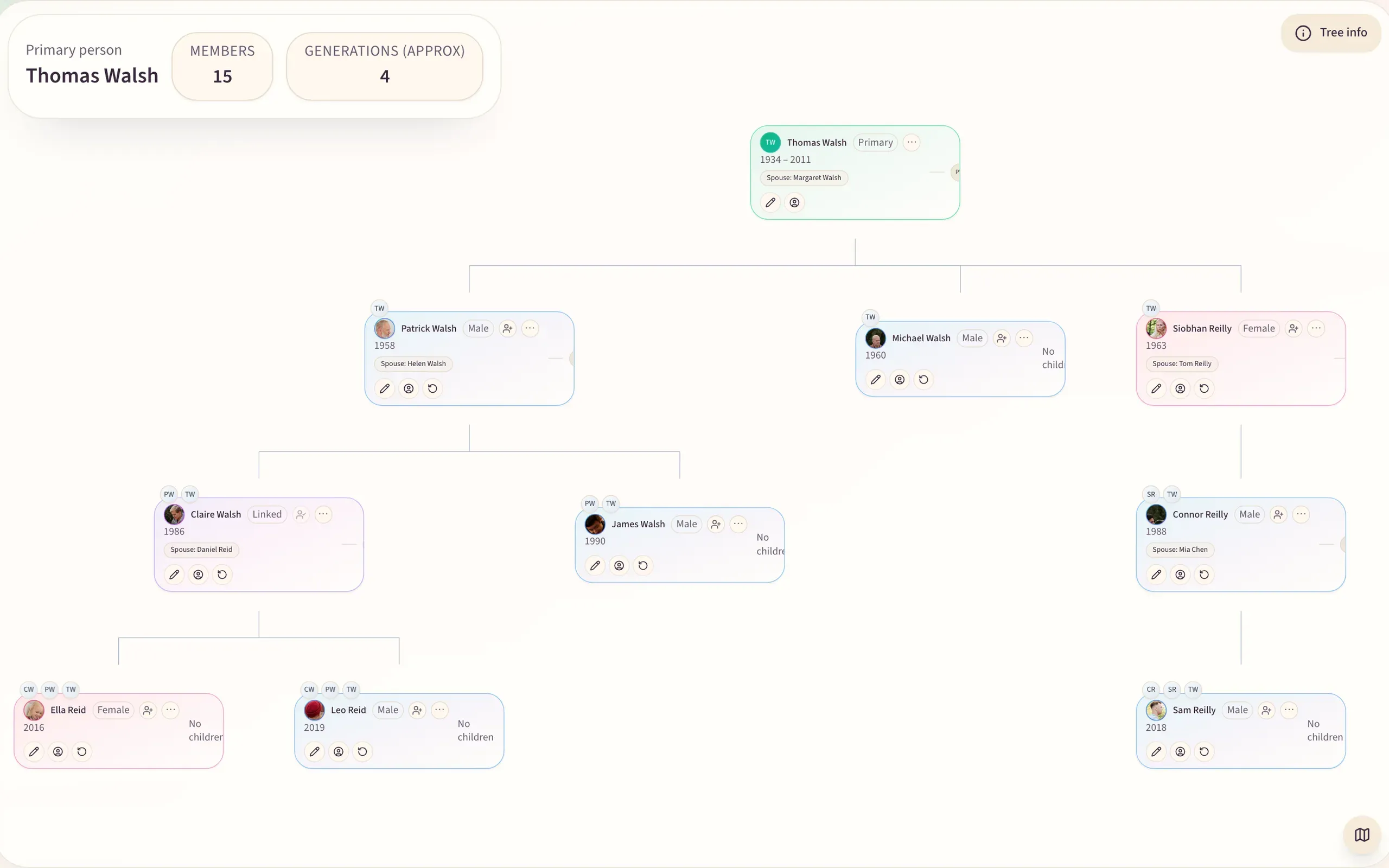
A private family tree is one only invited relatives can see — no public profiles and no search indexing. Kunbaa lets you build a tree with guided forms for parents, siblings, partners and children, invite family by link to add what they know, and keep photos, dates and notes on every person. Everyone in the family joins free.
What you get
Guided, not a blank canvas
Add parents, siblings, partners and children with forms that keep the relationships straight as the tree grows — no drawing, no dragging boxes.
Let family fill the gaps
Invite relatives by link. They add the names, dates and photos only they remember, in their own time.
More than names and dates
Photos, dates, places, nicknames and notes live on each person, so the tree reads like a family rather than a database.
Private by default
No public profiles, no search results, no ads inside your family space. Your tree is visible to invited family only.
How it works
Step 1: Add yourself
Start with one person and work outwards. Two minutes to a first tree.
Step 2: Invite a relative
Send one relative a link. They join free and add their own branch.
Step 3: Grow it together
Everyone adds what they know. The tree fills in without one person doing all the work.
What this means for your privacy
- Invite-only — nothing is public or indexed by search engines
- Ask for a complete copy of your family's archive at any time — support prepares it while self-serve export is built
- Request deletion of your account and its data at any time
Questions families ask
- Can I import a tree from Ancestry or MyHeritage?
- Yes, on the web. Export a GEDCOM file from Ancestry or MyHeritage and import it under Tools → Import a GEDCOM on kunbaa.com: Kunbaa matches it against the people already in your tree and writes nothing until you confirm, and details already on a card are kept. Starting fresh works too: start with yourself, add your parents, and invite one relative per branch.
- Who can see my tree?
- Only people you invite. Trees are not public and are not indexed by search engines.
- Can I get my data out later?
- Yes. Email support and we'll prepare a complete copy of your family's archive — the tree, the photos and the videos. A self-serve export is being built; until it ships, support does it for you on request, on every plan including free.
- Is there a free plan?
- Yes. Everyone in the family joins free — the tree with no cap on branches or generations, the wall, chat, voice and video calls, events and Family Safety, with room to build the tree and start the photos. One paid plan, Kunbaa Plus at $15.99/mo or $159.99/yr on kunbaa.com, keeps the rest: longer videos in the family archive, room for the whole archive, and the photos and videos from the family chat.