Family Hub
Invite the family in branch by branch, and always know exactly who can see the archive. Adults keep it; kids appear in the tree and photos, not behind logins.
Frequently asked questions
Who can see our family workspace?
Only invited relatives. Access is account-based and invite-only, so the tree, posts, memories and plans stay inside the signed-in family space — no public directory, no ads, nobody's data sold.
Can my kids have their own accounts?
No — accounts are 18+, on purpose: no stranger can ever be in your family's space and no data is collected on children. Kids are in the tree and the photos, added by the adults: adults keep it, kids are in it.
Who keeps the family space?
Whoever sets it up — usually the keeper — is its admin: they invite relatives, decide what each person can do, and can pay for the archive space; everyone invited joins free. Three levels — Admin, Can post (add to the wall and the tree) and View only — plus three switches an admin can set per person: post on the wall, add people to the tree, message family members. A relative who wants more taps Request access.
Does everyone I invite have to pay?
No. Everyone joins free — the tree, the wall, chat, voice and video calls, events and Family Safety. One person can pay for Kunbaa Plus ($15.99/mo or $159.99/yr on kunbaa.com) and that one subscription covers every relative: longer videos in the archive, room for the whole archive, and the photos and videos from the family chat kept.
Can we remove or correct family information?
Yes. Anyone with Can post access edits a card from the tree or the member's profile; a relative who has died is marked as passed away, with a date or 'date unknown'; every account holder sets their own preferred name, shown everywhere whichever way they sign in. Deletion and support paths cover anything that needs removing.
Can I choose who sees a post?
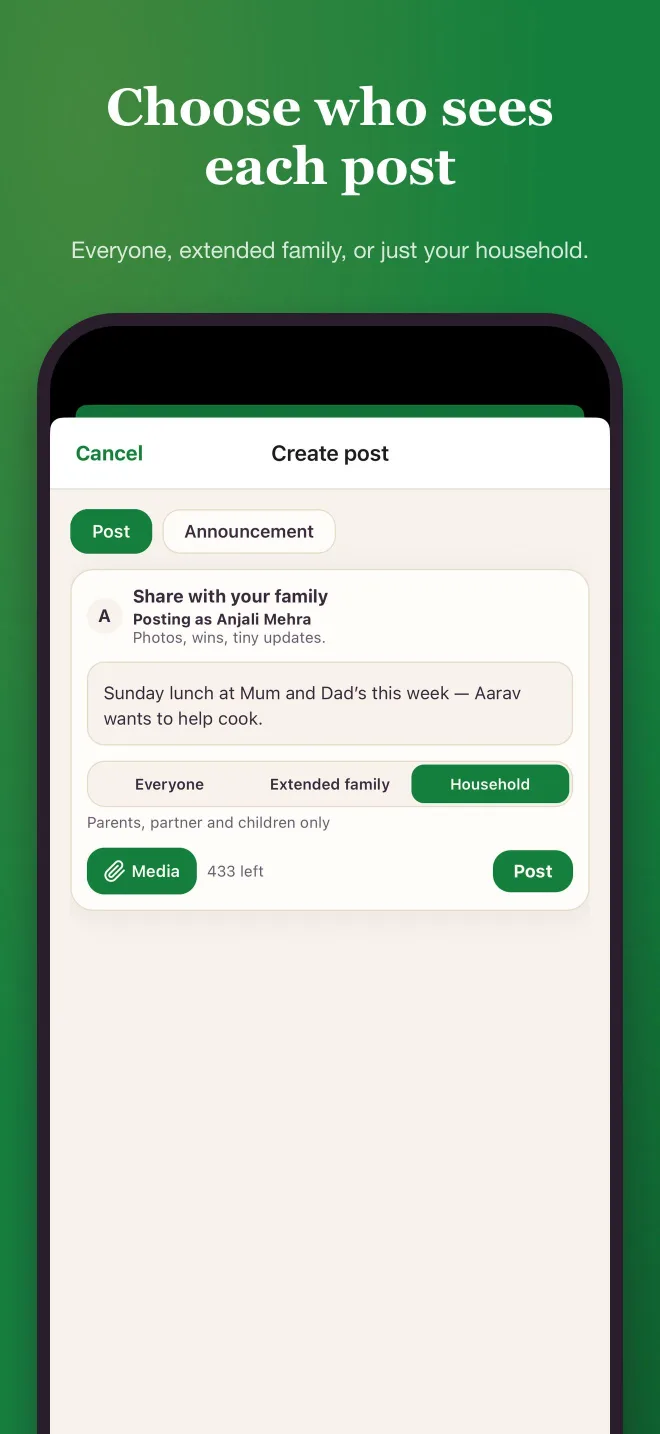
Yes. Every post is private to the family, and when you post you can narrow it further — to your extended family (grandparents, aunts, uncles and cousins) or just your household (parents, partner and children), read from the tree and applied on our servers.
Bring the right people into one space
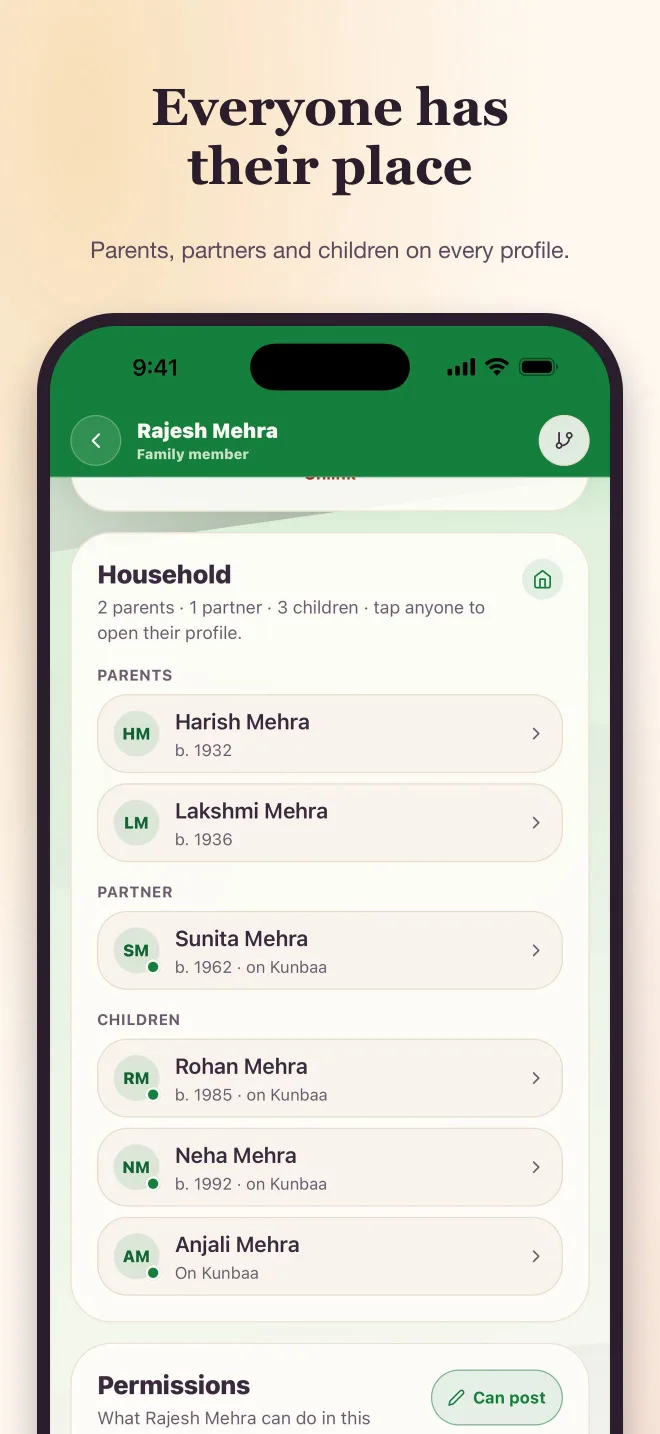
Start with the people you'd trust with the photo albums, then invite wider; every member gets a profile connected to their place in the tree.
- Member profiles tied to the tree, with household and permissions
- Private, account-based invites with access chosen before you send
- Everyone joins free
A deliberate 18+ rule
Accounts are adults-only, on purpose: no stranger can ever be in your family’s space, and no data is collected on children.
Your kids are still in the tree, the photos and the stories — added by you, without logins until they’re grown.
Invite flows that actually work for families
Invite relatives in, and the tree, wall, memories, chat, events and tasks build around them.
Nobody you invite needs a credit card; one person — usually the keeper — can pay for the space that holds the archive.
About the Family Hub
One private space, and you always know who's in it
A family archive only works if the family trusts who can see it. The Family Hub is where that is managed: invite relatives branch by branch, see every member and their place in the tree, and keep one overview of who is in and what they have added.
Adults keep it, kids are in it
Accounts are 18+, deliberately: no stranger can ever be inside your family's space, and no data is collected on children.
What the Family Hub helps with
- Invite relatives gradually — your side, then your partner's side, then the cousins overseas.
- Each profile shows the person's household (parents, partner and children) and, for admins, their permissions.
- Admin, Can post or View only, with per-person switches for posting, adding people and messaging — set as you invite, changed any time.
- Keep the tree, wall, memories, chat, events and tasks around one shared family space.
- Clear deletion and support paths when information needs correcting or removing.
Everyone you invite joins free. See pricing for the one paid plan and the invite guide.