Best Family Tree Apps in 2026: Which One Fits Your Family?
Your dad wants to trace the family back to the village. Your sister just wants everyone's birthdays in one place, and the cousins to stop asking who is who. Those are different jobs, and the best family tree app is the one built for yours.
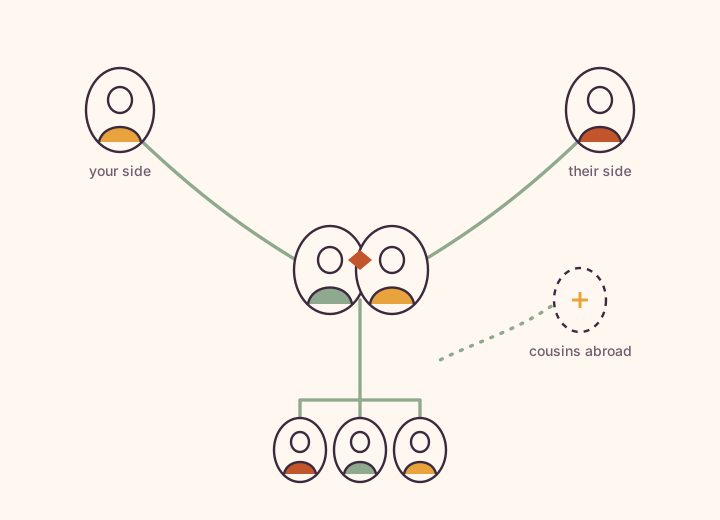
The best family tree app depends on the job. For researching ancestors, Ancestry and MyHeritage lead on records and DNA, and FamilySearch is the best free option. Geni suits building into a world tree, Family Echo a quick printable chart. For a private living tree your whole family builds and shares, choose Kunbaa.
Which family tree app is best for you?
Kunbaa
Best for: a private living tree your whole family shares
Strengths. An invite-only tree only your relatives see, which everyone builds together, with a family wall, Memory Lane, chat and events with birthday reminders around it. No ads, nobody's data sold, and the tree is free for everyone. Works in any web browser today.
Trade-offs. No historical records, no DNA, no GEDCOM export and no tree printing; a GEDCOM file can be imported on the web. It is not a genealogy research tool.
MyHeritage
Best for: research with records, DNA and old-photo tools
Strengths. Large historical record collections, DNA kits and matches, Smart Matches with other trees, and photo colorization and enhancement. GEDCOM import and export.
Trade-offs. The free Basic plan stops at 250 people; records and bigger trees need a yearly plan, bought per account.
Ancestry
Best for: deep record research and DNA
Strengths. Billions of historical records, AncestryDNA, and hints that compare your tree against records and other members' trees. You can build a tree free.
Trade-offs. Full record access needs a membership, and people marked as living are hidden from other members by design.
FamilySearch
Best for: free genealogy research
Strengths. Completely free, with billions of historical records and one shared world tree where someone may already have traced your line. Family Group Trees let invited relatives share living family privately.
Trade-offs. Deceased ancestors sit in the public tree, where any FamilySearch user can edit them.
Geni
Best for: connecting your line to a World Family Tree
Strengths. More than 200 million connected profiles, merging of duplicates across trees, curators, projects and discussions. Owned by MyHeritage.
Trade-offs. Deceased relatives become public profiles, and Tree Matches beyond the first, plus wider editing, need Geni Pro.
Family Echo
Best for: a quick, printable free tree
Strengths. Draw a tree in a few clicks, share it by link, print it to PDF, and import or download GEDCOM files. Free since 2007.
Trade-offs. Supported by advertising, and it is a tree tool rather than a family space.
How do the best family tree apps compare?
| App | Best for | Free option | Records & DNA | Who sees your tree | Family life around it |
|---|---|---|---|---|---|
| Kunbaa | A private living tree your whole family shares | The tree is free for everyone; one person pays for Kunbaa Plus if the family wants room for the whole archive | None | Only the relatives you invite | Wall, Memory Lane, chat and events |
| MyHeritage | Research with records, DNA and old-photo tools | Basic plan, up to 250 people | Records on paid plans; DNA kits sold separately | Your family site's members; paid plans match against other trees | A family site and photo tools |
| Ancestry | Deep record research and DNA | Build a tree and get hints free; records need a membership | Billions of records; AncestryDNA | Living people are hidden from other members | Not the focus |
| FamilySearch | Free genealogy research | Completely free | Billions of free records | Deceased ancestors are public and any user can edit them; living people are private | Photos and stories on people; Family Group Trees add chat |
| Geni | Connecting your line to a World Family Tree | Basic is free; Geni Pro is a paid subscription | Matching across the world tree | Living profiles private; deceased profiles public | Genealogy projects and discussions |
| Family Echo | A quick, printable free tree | Free, supported by ads | None | People with a share link | Photos, files and a birthday calendar |
What should you look for in a family tree app?
Start with the job you are hiring the app for. There are two, and most apps are built for one of them.
- Researching ancestors. You want historical records, DNA matches and hints that find people you did not know about. That is Ancestry, MyHeritage and FamilySearch, with Geni for connecting into a world tree.
- Keeping the living family. You want a tree of the people you know, which the family fills in together, with the photos, stories and birthdays beside it. That is what Kunbaa is for.
Then ask four questions of any app you try:
- Who can see the tree? Research services keep living people private but make deceased ancestors public or matchable. A private family app keeps everyone private.
- Who can edit it? On a world tree, any user may be able to change your great-grandmother. On a family tree app, only the relatives you invite can.
- What does the whole family pay? Most research plans are bought per account. On Kunbaa, one person pays for Kunbaa Plus and everyone else joins free.
- Can you move the tree later? GEDCOM files move research trees between services. Kunbaa imports them on the web but does not yet export one, so if portability out matters most, weigh that.
Can you use more than one family tree app?
Yes, and many families do. Keep the research tree, records and DNA results on Ancestry, MyHeritage or FamilySearch. Keep the living family — this year's photos, the grandparents' stories, whose birthday is next — in a private Kunbaa tree that everyone can join free.
Related: read the family tree software guide, see how to build your family tree, or learn how private Kunbaa is.
Family tree apps: common questions
What is the best family tree app?
It depends on the job. For researching ancestors, Ancestry and MyHeritage lead on historical records and DNA, and FamilySearch is the best free option. For a private tree of the living family that everyone builds and shares, with photos, stories and birthdays around it, Kunbaa is built for that.
What is the best free family tree app?
For free research, FamilySearch: it is completely free, with billions of records. For a free private tree your family builds together, Kunbaa — the tree is free for everyone, with no ads. For a quick printable chart, Family Echo is free and supported by advertising. MyHeritage's free Basic plan holds up to 250 people.
Which family tree app is the most private?
Kunbaa is built around privacy for the whole tree: only the relatives you invite can see or edit anyone on it, living or passed, there are no ads and nobody's data is sold. FamilySearch and Geni make deceased ancestors public, and Ancestry and MyHeritage match your tree against other members' trees. Kunbaa is not end-to-end encrypted — it is private by invitation.
Which family tree app is best for sharing with family?
Kunbaa, if you want the whole family inside one private space: everyone you invite can add relatives and fix mistakes, and everyone joins free. FamilySearch Family Group Trees and MyHeritage family sites also let you invite relatives, around a research tree.
Which family tree apps include DNA testing?
Ancestry (AncestryDNA) and MyHeritage sell DNA kits and show DNA matches. Kunbaa, FamilySearch and Family Echo do not sell DNA tests.
Can I move my family tree from one app to another?
Usually through a GEDCOM file: MyHeritage, Ancestry, Geni and Family Echo can export one, and FamilySearch accepts uploads. Kunbaa imports a GEDCOM file on the web — matched to the people already in your tree and confirmed before anything is written — but does not yet export one, so a tree that leaves Kunbaa goes out through support.
How much does Kunbaa cost?
The tree, the wall, chat and events are free for everyone in the family. The one paid plan, Kunbaa Plus, is $15.99 a month or $159.99 a year on kunbaa.com: one person pays and everyone else joins free.
Keeping the living family? Start the tree tonight.
Add the five or six people closest to you, invite your sister, and let the family fill in the rest. The tree is free for everyone, on the web today.